 Understory
Turn Scattered Notes into a Narrative
A Mac notes app for collecting your research, shaping an outline, and writing the draft.
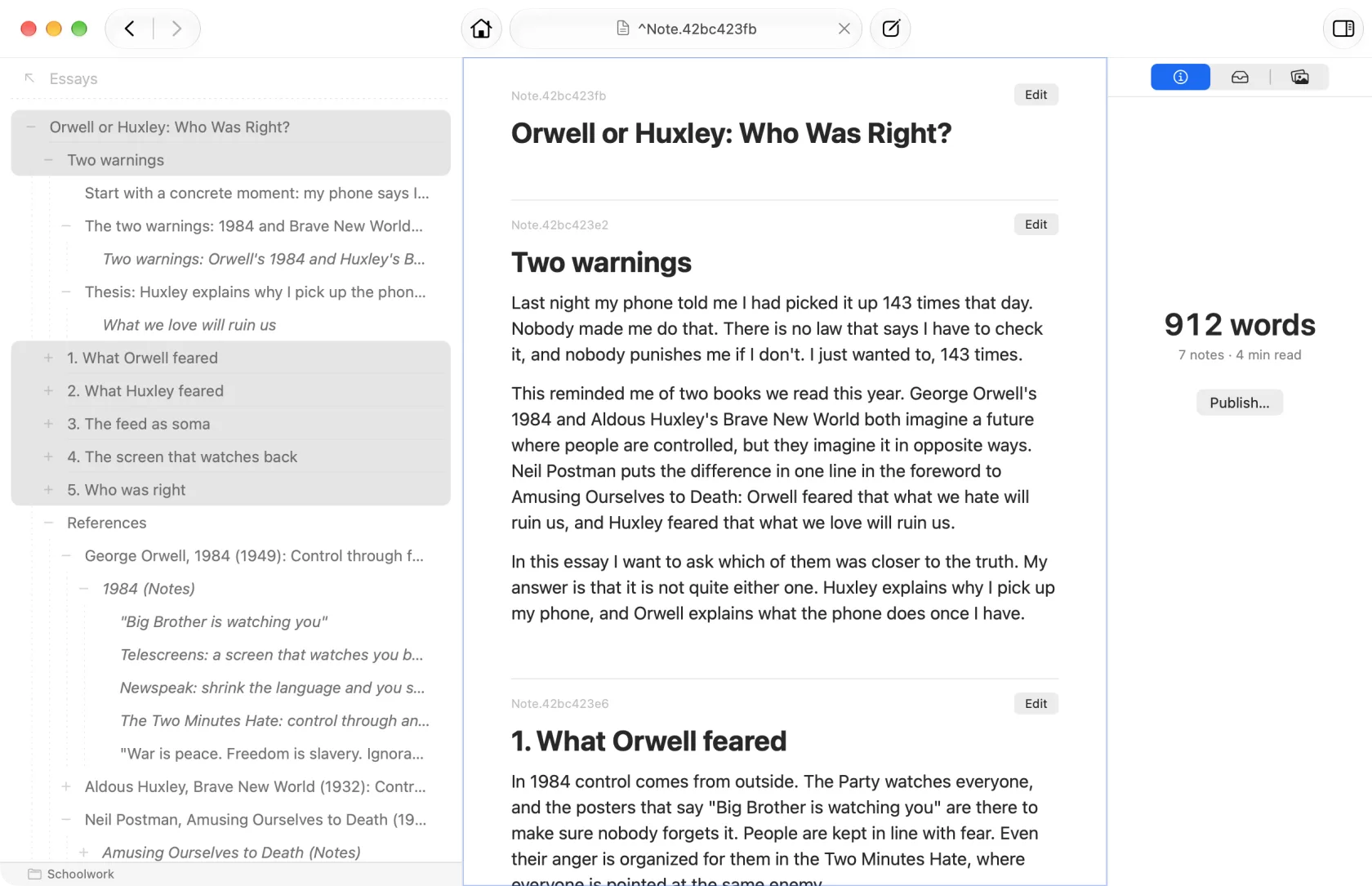
From notes to finished draft
Understory is for students, researchers, bloggers and anyone else who takes notes in order to write something. It carries a research paper, an essay, a blog post, a video script or even a book from the first note to the finished draft, without copying anything from one app to another.
Part outliner, part notes app
You write notes as regular paragraphs of text, the way you would in any notes app, and arrange them into an outline by adding subnotes beneath them. The same note can sit in more than one place, so an idea can belong to every subject it touches.
See how notes and subnotes work
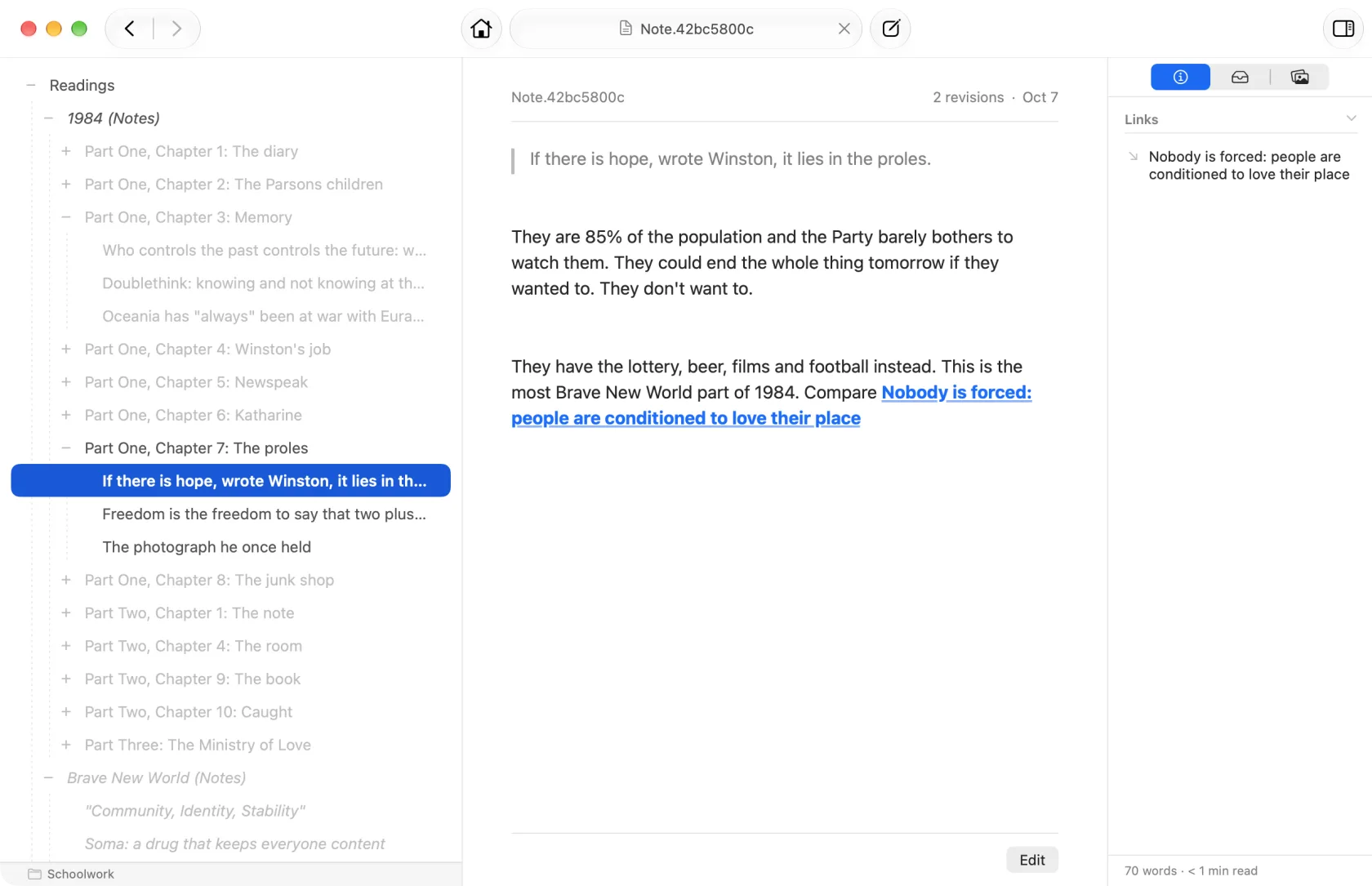
Step 1. Collect
Take notes as you read, chapter by chapter.
A note is just text, and you don’t have to come up with a title or a filename before you start writing. Keep each quote or idea as a short note under the book and chapter it came from.
Step 2. Outline
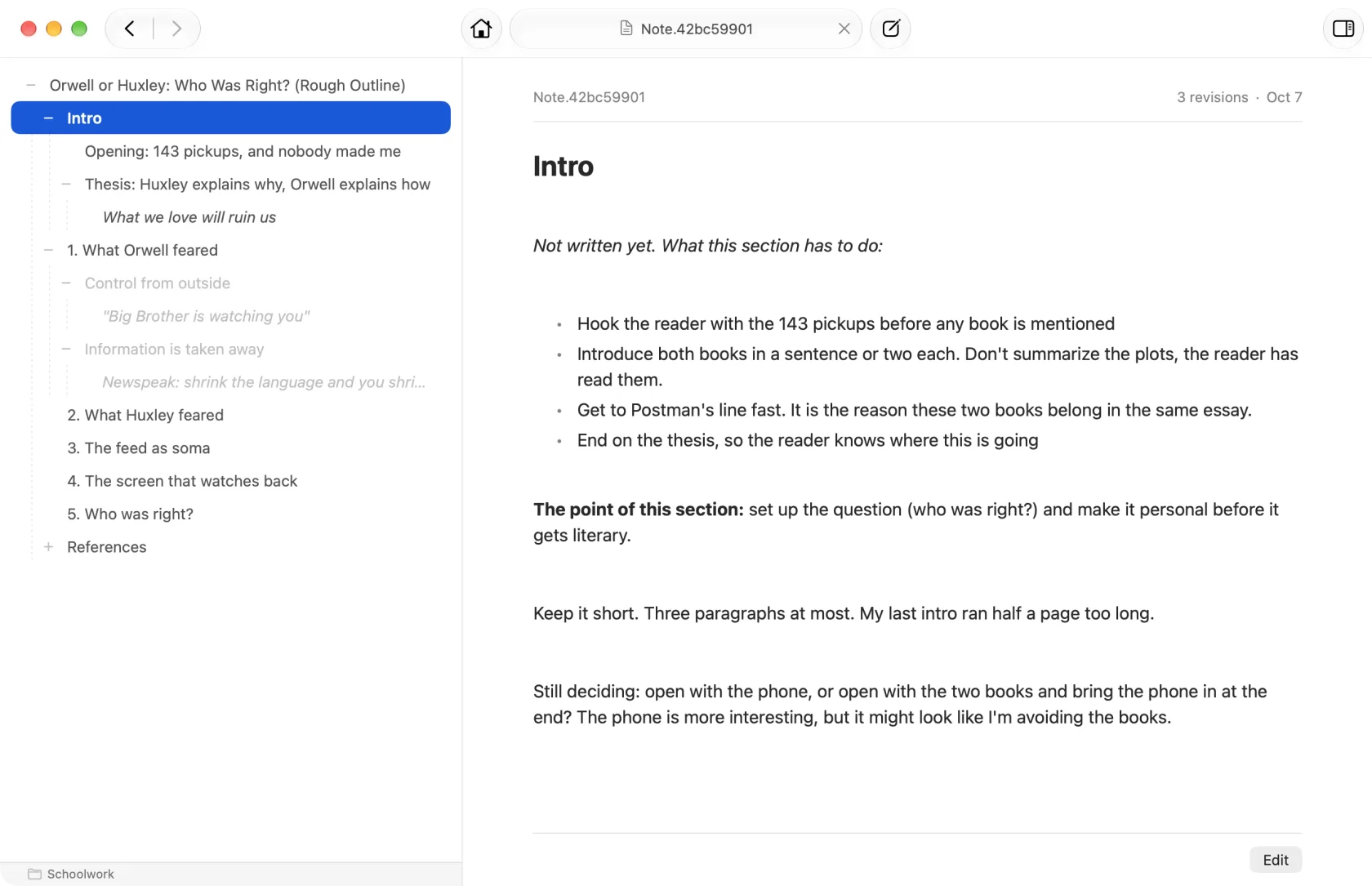
Build your argument from the notes you took.
Add a note for each main point, then put the notes you’ve already taken underneath the points they support. Move things around until the structure works.
Step 3. Write
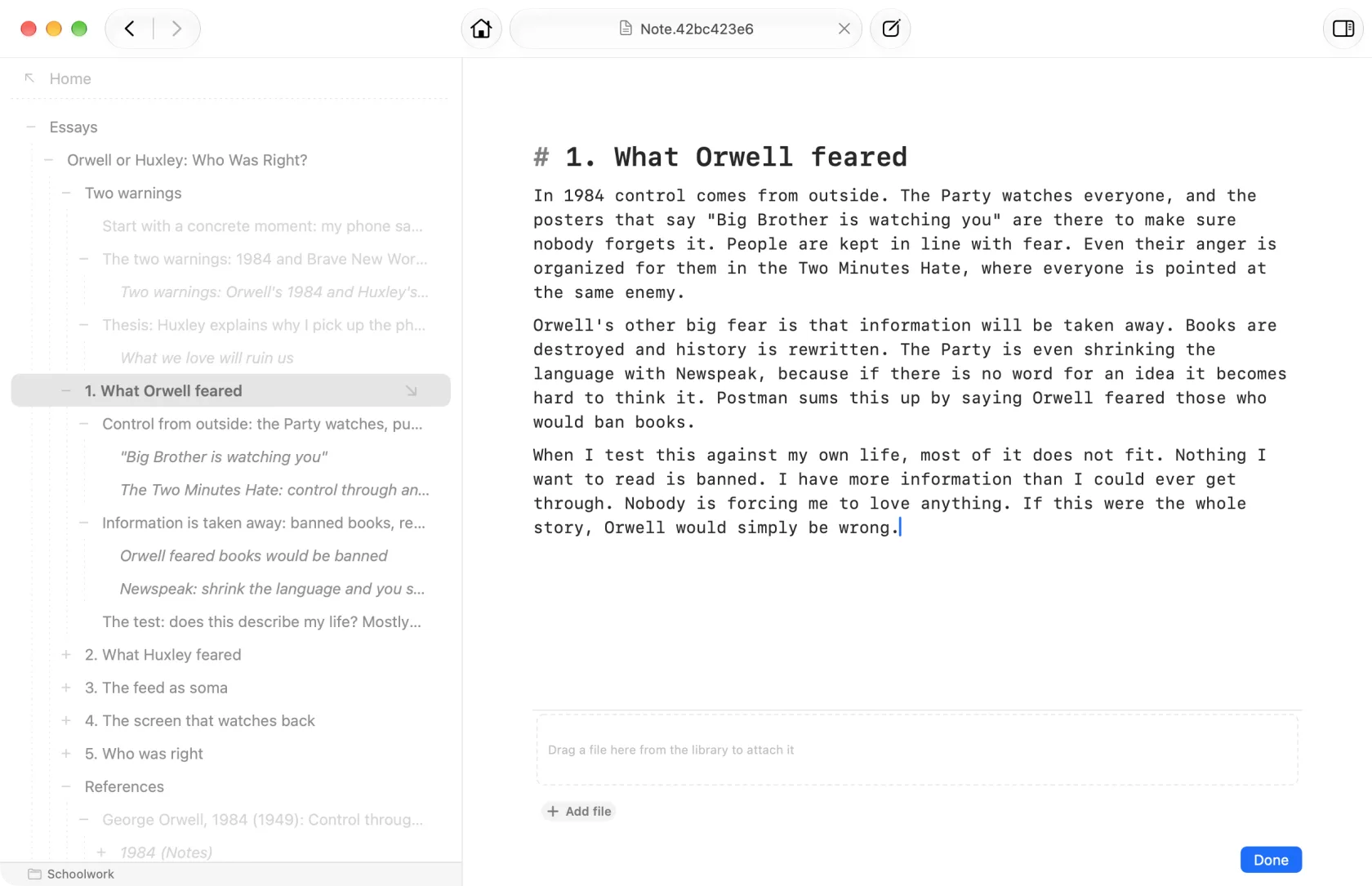
Draft each section with your notes at hand.
Draft each point in its own note, with your research listed right beneath it. Select the main points to read the whole piece from beginning to end.
Publish
Turn your outline into a document you can share.
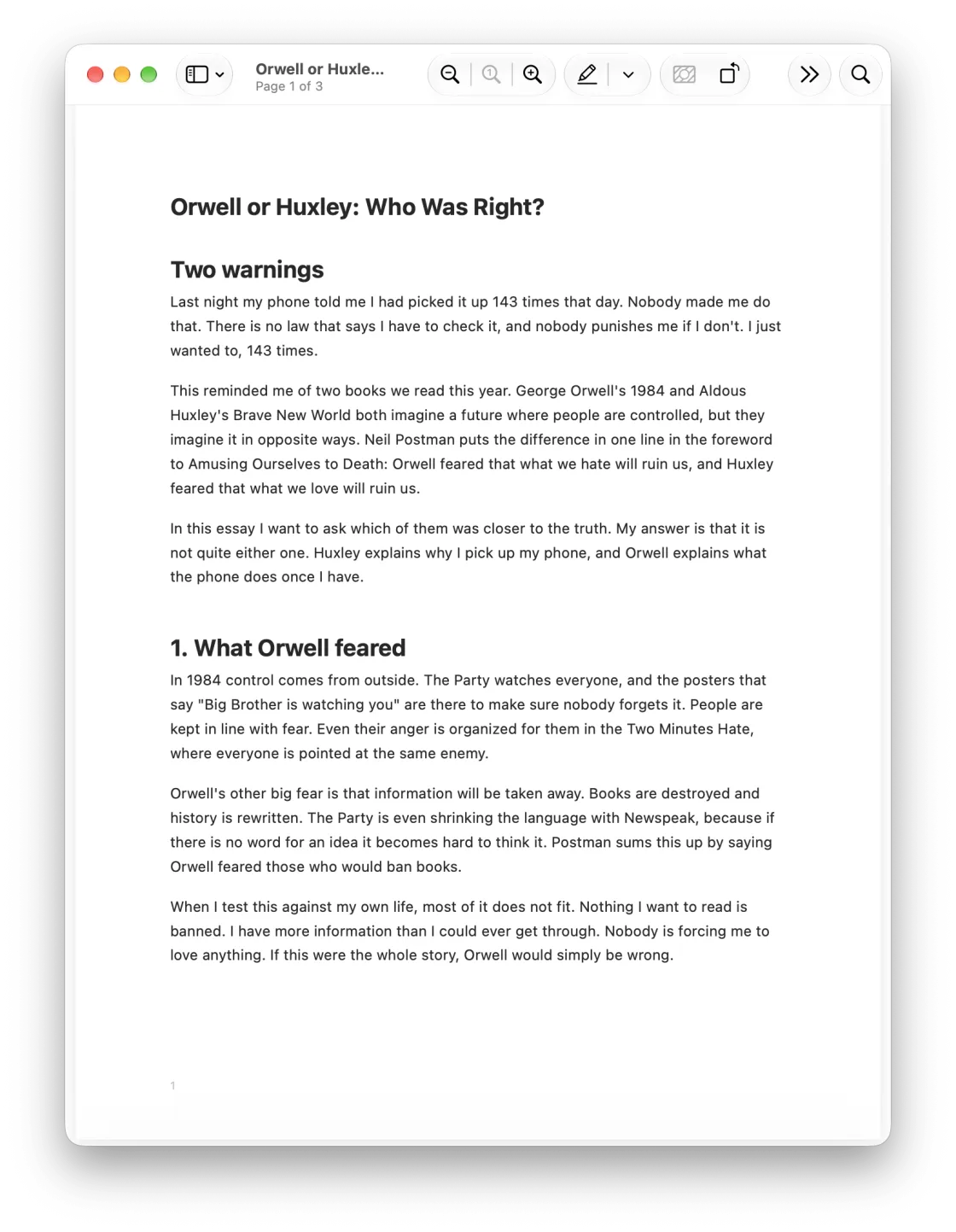
Publish the finished piece as a PDF, Rich Text, Markdown or a website, in the order you arranged it.
Download on the Mac App Store or learn more about how it works
Your notes stay yours
Keep your notes in a plain folder of Markdown files on your Mac (a Project Notebook), or in your own iCloud account, synced between your Macs (a Personal Notebook). Either way there’s no Understory account to create, and nothing of yours passes through my hands.
Questions
Is this a subscription?
No. One purchase, and it’s yours.
Is there an iPhone or iPad version?
Not yet. Mac only for now.
How is this different from an outliner?
An outliner is good for shaping ideas into a hierarchy, but every item in it is a bullet. In Understory every item is a whole note written as regular text, and the same note can appear in several outlines, or in none. How It Works explains it in full.
Get Understory
Download Understory on the Mac App Store.
It’s free to try, and every feature works from the first launch, publishing included. The only limit is on how many notes a notebook holds, and there’s enough room to find out whether it works for you. A one-time payment removes that limit, with no subscription, and the pricing page has the details.
If you run into a problem or have a question, email me at support@ussher.ca, or join the Discord to talk about the app.